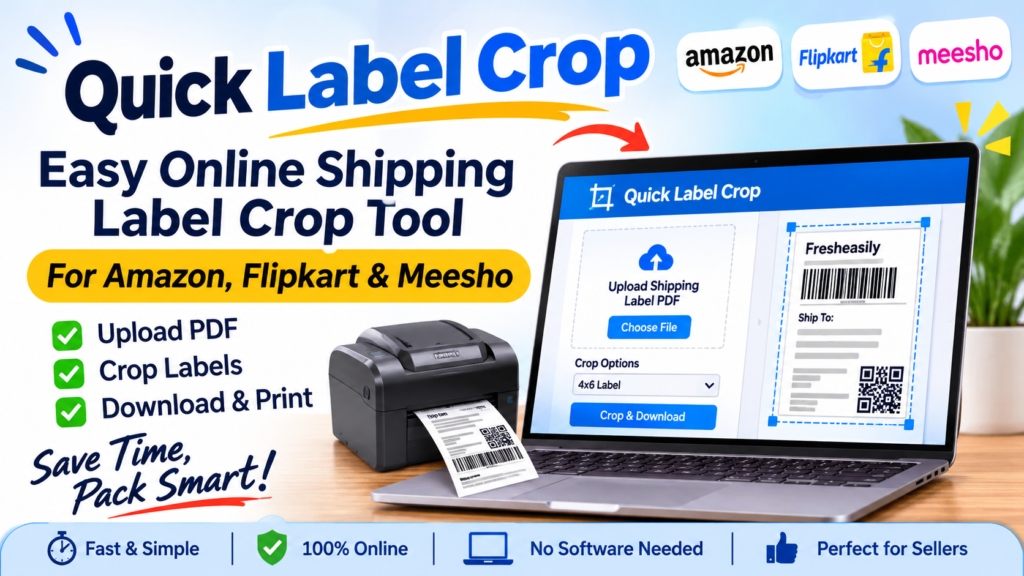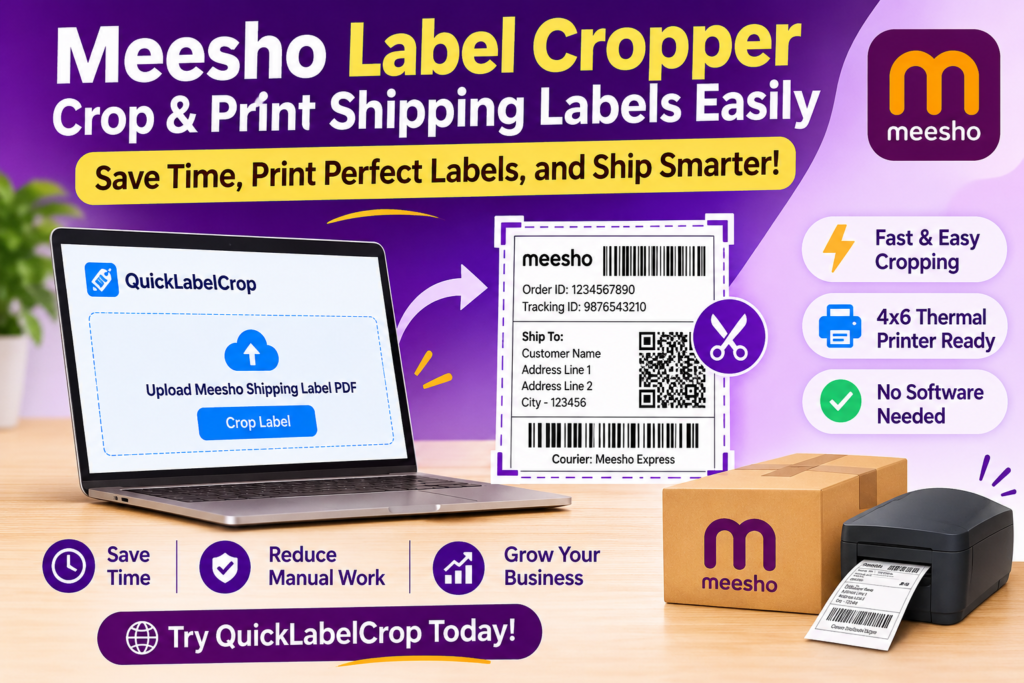
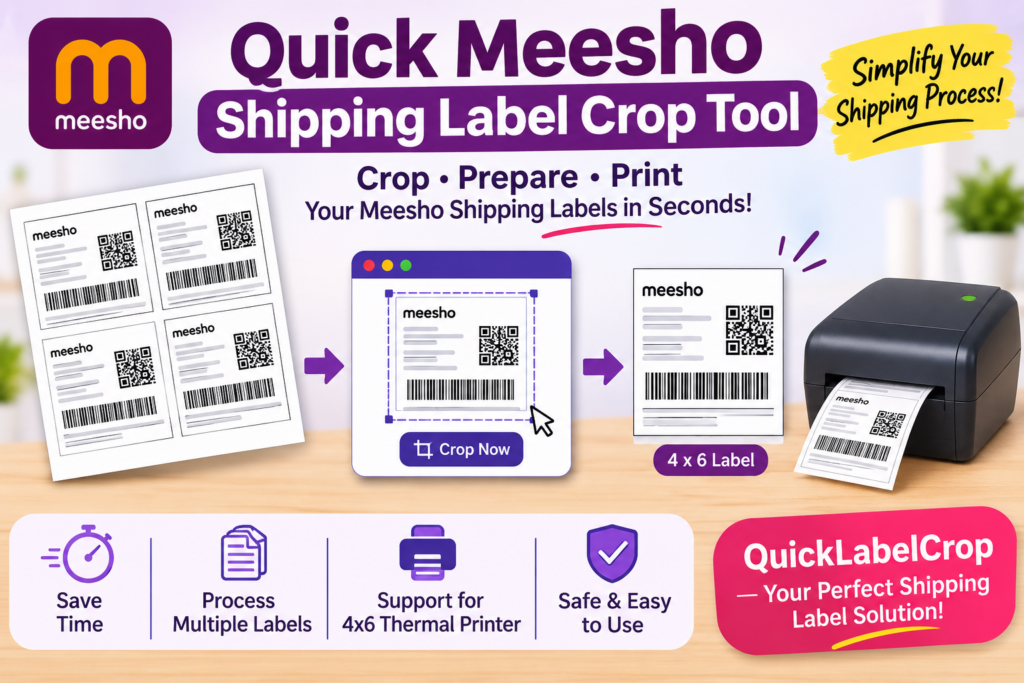
Managing multiple orders on Meesho can be challenging, especially when sellers need to download shipping labels, crop them into the correct size, arrange them properly, and print them using a thermal printer. If you handle several orders every day, manually editing shipping labels can take a lot of time and effort.
A Quick Meesho Shipping Label Crop Tool makes this process easier by helping online sellers crop, organize, and prepare shipping labels for printing. Instead of manually editing every label, sellers can use an online tool to simplify their daily shipping workflow.
Whether you are a new Meesho seller, a small business owner, or a high-volume ecommerce seller, a quick label cropping solution can help you manage shipping operations more efficiently.
With QuickLabelCrop, sellers can simplify label preparation, reduce repetitive manual work, and get their shipping labels ready for printing in less time.
What Is a Quick Meesho Shipping Label Crop Tool?
A Quick Meesho Shipping Label Crop Tool is an online utility designed to help sellers crop and organize shipping labels downloaded from the Meesho seller platform.
When sellers receive orders, they generally download shipping labels in PDF format. These files may contain multiple labels arranged across different pages. Depending on the printer and label format, sellers may need to crop or adjust these labels before printing.
A shipping label cropping tool helps simplify this task.
Instead of opening a PDF editor and manually adjusting every page, sellers can use a dedicated label cropping tool to prepare their files.
The tool can help with:
-
Cropping Meesho shipping labels.
-
Preparing labels for 4×6 thermal printers.
-
Processing multiple shipping labels.
-
Reducing unnecessary white spaces.
-
Organizing labels for easier printing.
-
Preparing PDF files for shipping operations.
-
Saving time during daily order processing.
The main purpose is to make shipping label preparation faster, simpler, and more convenient for ecommerce sellers.
Why Do Meesho Sellers Need a Shipping Label Crop Tool?
Meesho is a popular ecommerce marketplace where sellers can receive orders from customers across different locations in India. As order volume increases, managing shipping operations manually can become difficult.
Every order requires proper packaging, shipping documentation, and a correctly printed shipping label.
For sellers processing 10, 50, 100, or even more orders per day, manually cropping each shipping label can consume valuable time.
Here are some common problems sellers experience.
1. Manual Label Cropping Takes Time
Opening PDF files, selecting individual labels, adjusting dimensions, and saving separate documents can be repetitive.
If you have hundreds of orders, this process can become frustrating.
A Quick Meesho Label Crop Tool helps simplify the process by automating supported cropping operations.
2. Incorrect Label Sizes
Thermal printers commonly use 4×6-inch label paper. However, downloaded shipping documents may not always be arranged in the format sellers prefer.
Printing without adjusting the layout may result in unnecessary margins or incorrectly positioned labels.
A label cropper helps prepare labels according to the supported printing layout.
3. Multiple Orders Are Difficult to Manage
When sellers receive multiple orders, they may need to process several labels together.
Handling every label separately increases the possibility of mistakes and delays.
A batch shipping label cropper can help sellers process multiple labels in one workflow.
4. Unnecessary Paper Usage
Incorrectly formatted shipping labels can waste thermal paper.
By preparing labels in an appropriate format, sellers can reduce unnecessary blank spaces and improve paper usage.
5. Slow Packaging Operations
Shipping label preparation is an important part of order fulfillment.
If this step takes too long, the entire packaging process can become slower.
Using a quick cropping tool helps sellers prepare labels more efficiently.
Features of Quick Meesho Shipping Label Crop Tool
A useful shipping label cropper should provide simple features that make everyday order processing easier.
QuickLabelCrop is designed around the common requirements of ecommerce sellers.
1. One-Click Meesho Label Cropping
Manually cropping labels can be time-consuming.
A one-click cropping workflow helps reduce repetitive steps by allowing sellers to upload supported shipping label files and process them using the available cropping options.
This makes label preparation more convenient, especially for sellers who process orders regularly.
2. 4×6 Thermal Printer Support
Many ecommerce sellers in India use 4×6 thermal printers for printing shipping labels.
These printers are popular because they offer convenient label printing without requiring traditional ink cartridges.
A 4×6 shipping label cropping feature helps prepare labels in a format suitable for supported thermal printer workflows.
Sellers can benefit from:
-
Convenient shipping label printing.
-
Better label positioning.
-
Reduced unnecessary margins.
-
Easier packaging operations.
-
A consistent printing workflow.
Always check the final PDF preview and printer settings before printing.
3. Multiple Label Processing
Processing shipping labels individually is not ideal for sellers who receive a large number of orders.
A batch cropping feature can make the process easier by allowing multiple supported labels to be processed together.
For example, instead of preparing 50 labels separately, sellers can upload a supported PDF containing multiple labels and process them together.
This can help improve productivity during busy sales periods.
4. PDF Shipping Label Support
Meesho shipping labels are commonly downloaded as PDF documents.
A PDF-compatible cropping tool allows sellers to work with their shipping documents without manually converting every page into an image.
The workflow can include:
-
Download the shipping label PDF.
-
Open QuickLabelCrop.
-
Upload the supported PDF file.
-
Select the required cropping option.
-
Process the shipping labels.
-
Preview the cropped output.
-
Download the prepared file.
-
Print using your thermal printer.
This simple process helps make shipping label management more convenient.
5. Easy-to-Use Interface
Not every ecommerce seller has technical knowledge or experience with PDF editing software.
A good shipping label cropper should have a simple interface that anyone can understand.
QuickLabelCrop focuses on a straightforward workflow so that sellers can prepare their shipping labels without learning complicated editing software.
6. Faster Order Fulfillment
The faster you prepare shipping labels, the sooner you can move to packaging and dispatch activities.
A quick cropping workflow can help reduce manual effort and improve the overall order fulfillment process.
It is particularly useful for sellers who process orders every day.
7. Convenient File Download
After cropping, sellers need to download their prepared shipping label files.
A convenient download option helps them save the processed documents and print them whenever required.
Keeping files organized also makes it easier to manage daily shipping activities.
How to Use Quick Meesho Shipping Label Crop Tool Online
Using an online Meesho shipping label cropper is simple. You do not necessarily need advanced software or professional editing knowledge.
Follow these steps to prepare your shipping labels.
Step 1: Download Your Meesho Shipping Labels
First, log in to your Meesho seller account.
Navigate to your orders or shipping section and download the shipping labels for the orders you want to process.
Save the PDF file on your computer.
Make sure you have downloaded the correct shipping labels for your orders.
Step 2: Open QuickLabelCrop
Visit the QuickLabelCrop website using your preferred browser.
Open the Meesho Shipping Label Crop Tool.
You can use the online tool from a compatible desktop or laptop without installing traditional PDF editing software.
Step 3: Upload Your PDF File
Select the shipping label PDF you downloaded from Meesho.
Upload the file using the available upload option.
If you have multiple labels, use the supported batch processing feature where available.
Step 4: Select the Cropping Option
Choose the appropriate cropping option for your shipping labels.
Depending on the available tool settings, you may be able to select the required layout or output format.
For sellers using thermal printers, the 4×6-inch format is a popular choice.
Step 5: Crop Your Shipping Labels
Start the cropping process.
The tool will process your uploaded document according to the selected settings.
Wait until processing is completed.
Step 6: Preview Your Cropped Labels
Before printing, check the processed shipping labels carefully.
Make sure:
-
The barcode is fully visible.
-
The shipping address is readable.
-
The order information is not cut off.
-
The label dimensions are correct.
-
Important shipping details are included.
This step is important because incorrectly cropped shipping labels may create problems during courier scanning.
Step 7: Download and Print
Download your processed shipping label PDF.
Open the downloaded file and select your connected thermal printer.
Choose the appropriate paper size and print settings.
Your Meesho shipping labels are now ready for use.
Benefits of Using a 4×6 Meesho Shipping Label Crop Tool
A 4×6 shipping label format is widely used by ecommerce sellers who operate thermal printers.
Using a suitable cropping tool can provide several advantages.
Saves Valuable Time
Time is important for every ecommerce business.
Manually editing each shipping label can take several minutes, especially when multiple orders are involved.
A dedicated cropper simplifies repetitive work and allows sellers to focus on other business activities.
Reduces Manual Work
Without a cropping tool, sellers may need PDF editing applications to adjust their shipping documents.
An online label cropper helps reduce the need for manual editing.
Improves Printing Convenience
Preparing shipping labels in a suitable format makes printing easier.
Sellers can create a more consistent workflow for their daily thermal printing requirements.
Helps Manage Bulk Orders
During festive seasons and promotional sales, order volumes may increase significantly.
A batch label processing workflow helps sellers manage multiple documents more conveniently.
Supports Small and Large Businesses
Whether you operate a small home-based business or a large ecommerce store, efficient shipping operations are important.
A shipping label cropper can support different business sizes and order volumes.
Quick Meesho Label Crop Tool vs Manual PDF Cropping
Many sellers still use traditional PDF editing software to prepare their shipping labels.
However, a dedicated online label cropper can make the process more convenient.
| Feature | Manual PDF Cropping | QuickLabelCrop |
|---|---|---|
| Ease of use | Requires manual editing | Simple cropping workflow |
| Multiple labels | Repetitive processing | Batch processing support |
| 4×6 format | Manual adjustment | Supported format options |
| Time required | Can be higher | Helps save time |
| Technical knowledge | May be required | Designed for easy use |
| Workflow | Multiple editing steps | Simplified process |
The right solution depends on your order volume, printing requirements, and available features.
Who Can Use a Meesho Shipping Label Cropper?
A shipping label crop tool is useful for different types of ecommerce sellers.
1. New Meesho Sellers
New sellers may not be familiar with shipping label formatting or thermal printer settings.
An easy-to-use cropping tool can help them understand and manage the shipping process.
2. Small Business Owners
Small businesses often operate with limited staff and resources.
Reducing repetitive work can help business owners spend more time on inventory, customer service, and product development.
3. High-Volume Sellers
Sellers receiving hundreds of orders may need a faster way to prepare their shipping documents.
Batch label processing can make daily operations more manageable.
4. Home-Based Businesses
Many home-based businesses sell products through Meesho.
An online label cropper can help them prepare shipping labels from their home or office computer.
5. Ecommerce Packaging Teams
Businesses with dedicated packing staff can use a consistent label preparation workflow to simplify packaging operations.
Common Problems With Meesho Shipping Labels and Their Solutions
Sometimes sellers experience problems while downloading, cropping, or printing shipping labels.
Understanding these issues can help avoid unnecessary delays.
Problem 1: Shipping Label Is Too Large
Some shipping documents may contain large margins or additional blank spaces.
Solution: Use a suitable cropping option to prepare the label for your required printing format.
Problem 2: Barcode Is Cut Off
If the cropping area is incorrect, the barcode may become partially hidden.
Solution: Always preview the cropped label before printing. Ensure the complete barcode is visible.
Problem 3: Labels Are Printing in the Wrong Size
Incorrect printer settings can cause labels to print too large or too small.
Solution: Select the correct 4×6-inch paper size in your printer settings and check scaling options.
Problem 4: Multiple Labels Are Difficult to Separate
A PDF containing multiple shipping labels can be difficult to manage manually.
Solution: Use a batch processing option that supports multiple labels and check the final page arrangement.
Problem 5: PDF Is Not Uploading
Sometimes an uploaded file may not be supported or may be damaged.
Solution: Download the shipping label PDF again and check whether it opens correctly. Also verify the file size and supported upload format.
Problem 6: Thermal Printer Is Not Printing Clearly
Poor print quality can make shipping information or barcodes difficult to read.
Solution: Check the thermal printer head, paper quality, print darkness, and printer calibration.
Why 4×6 Thermal Printers Are Popular Among Meesho Sellers
Thermal printers are widely used in ecommerce businesses because they are designed for convenient label printing.
Unlike traditional inkjet printers, direct thermal printers generally use heat-sensitive paper.
This eliminates the need for ink cartridges.
Some major benefits include:
-
No traditional ink cartridges required.
-
Convenient label printing.
-
Compact printer designs.
-
Suitable for daily shipping operations.
-
Easy integration with compatible computers.
-
Useful for small and large ecommerce businesses.
A 4×6-inch thermal printer is especially useful for sellers who regularly print shipping labels.
When combined with an online label cropping tool, it can make the shipping workflow more convenient.
Tips for Better Meesho Shipping Label Printing
Getting the correct label format is only one part of the shipping process.
Here are some useful tips to improve your printing experience.
1. Choose the Correct Paper Size
Always check that your printer supports the required 4×6-inch label size.
2. Check Barcode Visibility
Never print a label without checking its barcode.
The barcode should be clear, complete, and readable.
3. Avoid Excessive Scaling
Incorrect scaling can make shipping labels too small or too large.
Use the appropriate print scaling settings.
4. Keep Your PDF Files Organized
Create separate folders for different shipping dates.
For example:
-
Meesho Orders – 9 November
-
Meesho Orders – 10 November
-
Meesho Orders – 11 November
This can help you locate previously downloaded files more easily.
5. Test Before Bulk Printing
If you are processing a large number of labels, print one sample first.
Check its size, barcode, and readability before printing the remaining labels.
6. Use Good-Quality Thermal Paper
Low-quality paper may affect printing clarity.
Choose compatible thermal labels that produce clear text and barcodes.
Quick Label Crop – A Convenient Shipping Label Solution for Ecommerce Sellers
QuickLabelCrop is designed to make shipping label preparation easier for online sellers.
Instead of depending on complicated PDF editing applications, sellers can use a dedicated online platform to simplify their label cropping workflow.
Whether you sell clothing, beauty products, electronics, home accessories, handmade products, or other items on Meesho, shipping label preparation is an important part of your daily operations.
QuickLabelCrop aims to make this process more convenient with useful shipping label tools.
What Makes QuickLabelCrop Useful?
-
Simple online label cropping.
-
Meesho shipping label processing.
-
Convenient PDF workflow.
-
4×6 thermal printer formatting options.
-
Batch label processing support.
-
Easy-to-use interface.
-
Convenient processed-file downloads.
-
Designed for ecommerce sellers.
The goal is simple: help sellers spend less time preparing shipping labels and more time growing their businesses.
Meesho Shipping Label Crop Tool for Bulk Order Processing
Bulk order processing is one of the most important requirements for growing ecommerce businesses.
When you receive a large number of orders, preparing each shipping label individually can slow down your packaging team.
For example, imagine that your business receives 100 orders in one day.
You need to download shipping documents, prepare labels, print them, match them with products, and complete packaging.
If every label requires manual editing, the process becomes unnecessarily complicated.
A bulk shipping label cropper can help simplify this process.
A typical bulk workflow includes:
-
Download multiple shipping labels.
-
Combine or upload supported PDF documents.
-
Select the required cropping settings.
-
Process the labels together.
-
Review the final output.
-
Download the processed document.
-
Print and organize the labels.
This workflow can help reduce repetitive activities and improve the efficiency of your packaging operations.
Is an Online Meesho Label Crop Tool Free?
The availability of free features depends on the particular online tool and its usage policy.
QuickLabelCrop aims to provide convenient shipping label cropping solutions for ecommerce sellers.
Before using any online PDF processing tool, check its available features, upload limits, file size restrictions, and download options.
If a tool offers free label cropping, sellers can use the available functionality without purchasing expensive PDF editing software.
For regular sellers, choosing a tool that offers a simple workflow and supports their daily printing requirements can be valuable.
Is It Safe to Use an Online Shipping Label Cropper?
Shipping labels contain important information, including customer names, addresses, order details, and barcodes.
Therefore, sellers should always consider privacy and file security when using online processing tools.
Before uploading shipping documents, check the website’s privacy policy and understand how uploaded files are stored and handled.
Look for services that clearly explain:
-
Whether uploaded files are stored.
-
How long files are retained.
-
Whether files are automatically deleted.
-
How customer information is protected.
-
Whether files are shared with third parties.
Avoid uploading sensitive customer documents to websites that do not explain their data-handling practices.
Frequently Asked Questions (FAQs)
1. What is a Meesho Shipping Label Crop Tool?
A Meesho Shipping Label Crop Tool is an online utility that helps sellers crop, organize, and prepare shipping labels downloaded from Meesho for convenient printing.
2. How can I crop Meesho shipping labels online?
Download your Meesho shipping label PDF, open an online label cropping tool, upload the document, select the cropping option, process the file, and download the prepared labels.
3. Can I print Meesho shipping labels on a 4×6 thermal printer?
Yes. You can print compatible Meesho shipping labels using a 4×6 thermal printer after preparing the PDF in the appropriate format and selecting the correct printer settings.
4. Is QuickLabelCrop easy to use?
QuickLabelCrop is designed around a simple workflow that helps ecommerce sellers prepare shipping labels without complicated PDF editing steps.
5. Can I crop multiple Meesho labels together?
If batch processing is supported by the tool, you can upload a supported PDF containing multiple shipping labels and process them together.
6. Do I need to install software to crop shipping labels?
An online shipping label cropper generally works through a web browser, so separate software installation may not be necessary.
7. Why is my Meesho shipping label printing in the wrong size?
This can happen because of incorrect paper size, scaling, or printer configuration. Check that your printer is set to the correct 4×6-inch format.
8. How can I avoid cutting off the shipping barcode?
Preview your cropped label before printing. Make sure the entire barcode and all important shipping information are visible.
9. Can beginners use an online label cropper?
Yes. Online label cropping tools are designed to make the process easier for beginners and experienced ecommerce sellers.
10. Does cropping a shipping label change the order information?
Cropping should only adjust the visible layout of the document. It should not change the original order details or barcode information.
11. Which printer is suitable for Meesho shipping labels?
A compatible 4×6-inch direct thermal label printer is a popular option for ecommerce shipping labels.
12. Can I use QuickLabelCrop for other marketplaces?
QuickLabelCrop is intended to support shipping label workflows for multiple ecommerce marketplaces, including Amazon, Flipkart, and Meesho, depending on the available tools.
13. What should I check before downloading a cropped shipping label?
Check the barcode, customer address, order details, label dimensions, and overall document quality.
14. Does a shipping label cropper reduce paper wastage?
It can help reduce unnecessary blank spaces by preparing labels in a more suitable printing layout.
15. Is QuickLabelCrop suitable for bulk sellers?
Yes. Its batch-processing capabilities, where available, can help sellers manage multiple shipping labels more efficiently.
Conclusion: Make Meesho Shipping Easier With QuickLabelCrop
Managing shipping labels is an essential part of every ecommerce business. When you receive multiple orders every day, manually cropping and formatting shipping documents can waste valuable time.
A Quick Meesho Shipping Label Crop Tool provides a convenient way to prepare shipping labels for thermal printing.
From simple PDF cropping to supported bulk processing and 4×6 label formatting, an online cropping solution can help simplify your daily shipping workflow.
Whether you are a beginner, a small business owner, or an experienced ecommerce seller, using the right shipping label tool can make order processing more organized and efficient.
Choose QuickLabelCrop to simplify your Meesho shipping label preparation and make your everyday packaging workflow easier.